Presentation editor

Presentations that move.

3D objects that spin and walk, animations with a rhythm of their own, and an audience that votes from their phones. All in the browser, nothing to install, and compatible with PowerPoint.

  • No sign-up needed to start
  • Opens and saves .pptx
  • In 11 languages
  • Open source

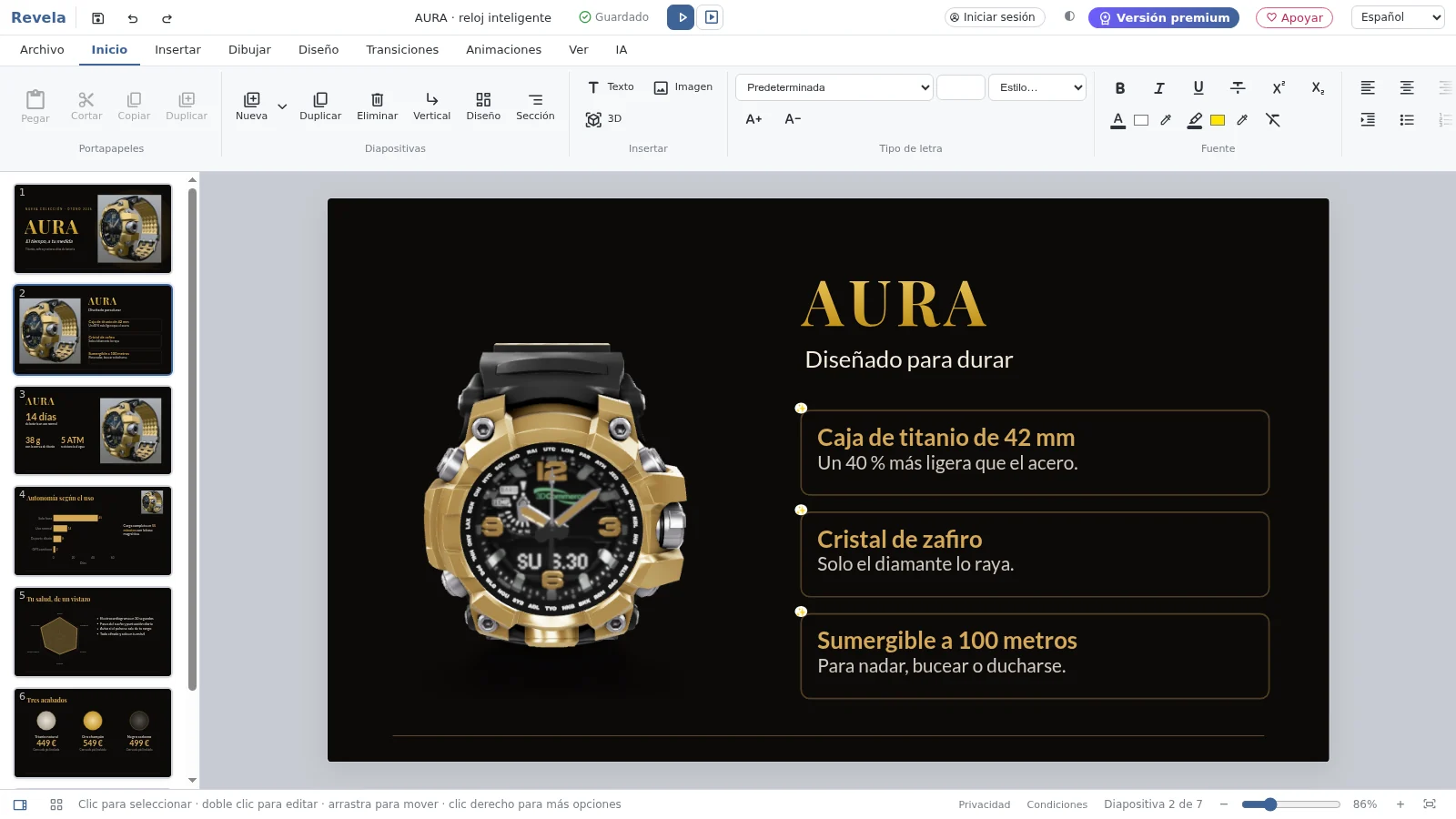
A real presentation, made with Revela: it moves on by itself, or take over with the arrow keys and the mouse.

What sets it apart

Everything you expect, and what was missing.

Revela does what you expect from a presentation editor. And it adds three things that change how ideas are told.

01

3D that really moves

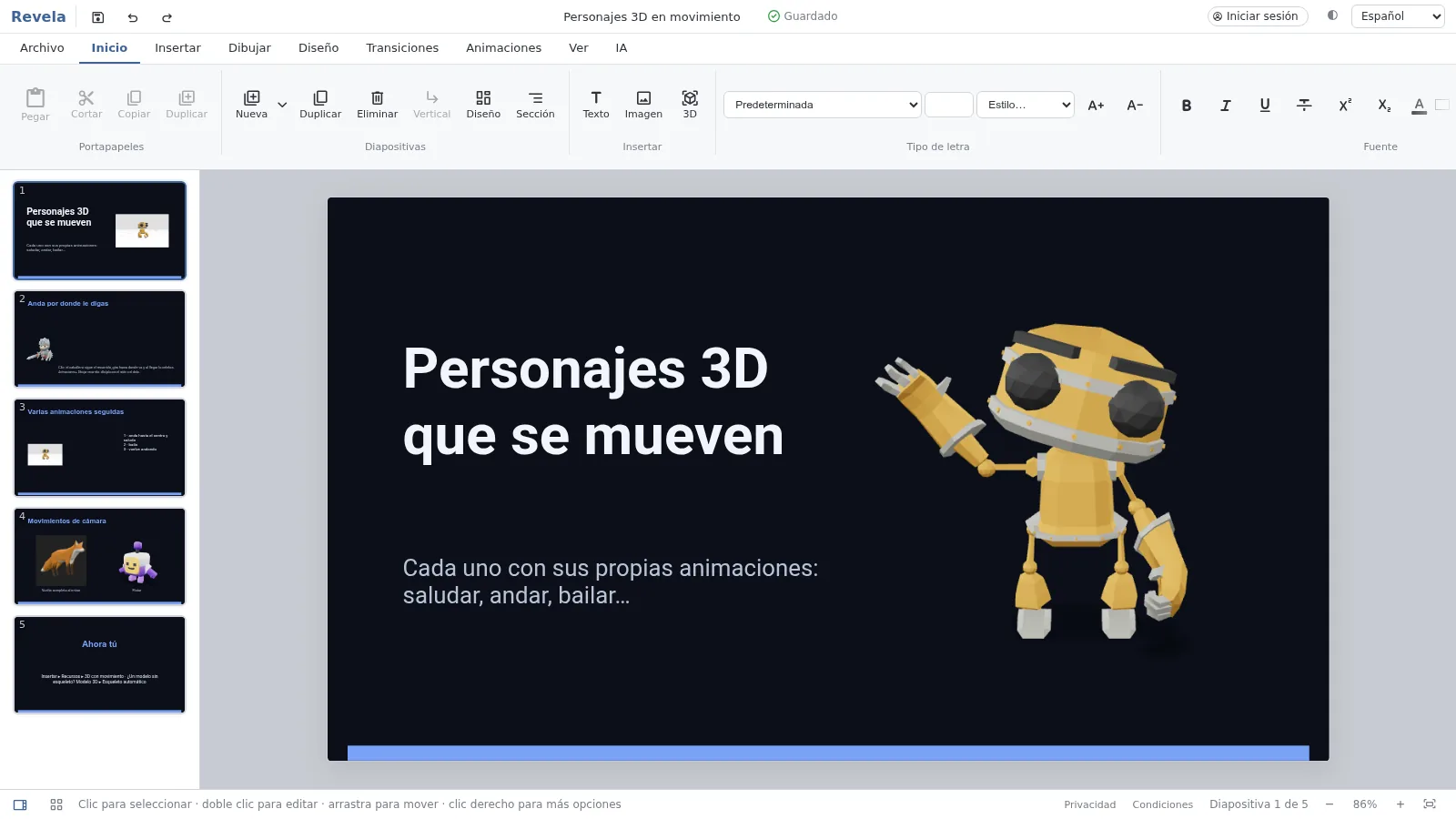
Place a model on the slide and decide how it comes in: spinning, drawing closer, walking along a path. If it appears on the next slide, it travels to its new spot.

  • Hundreds of free models, from NASA and open libraries
  • Characters that walk, wave and dance
  • Soft edges, views and camera moves
A slide with a waving 3D robot
02

The audience joins in

Your listeners open the poll with a QR code and answer from their phones, with nothing to install. Results appear on the slide as they come in.

  • Polls, word clouds and ratings
  • Timed quizzes with points, and questions from the audience
  • Classroom activities: sort, match, fill in the blanks

Which topic should we cover first?

Live poll48 responses

Next year’s budget46 %
New offices31 %
Training plan23 %

Join from your phone with the code K7Q2M or the QR code on screen

03

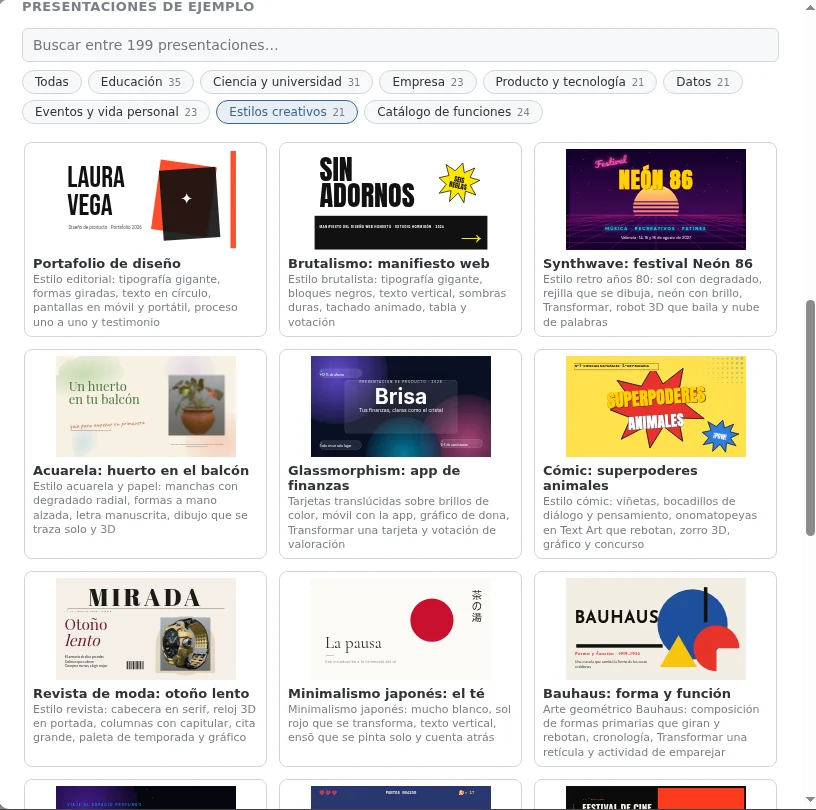
Over a hundred presentations to start from

Not empty templates: each one has its own theme, design and content, from a history lesson to a product launch. Open it, change it, and it’s yours.

  • Education, science, business, product, data and personal life
  • Each with notes for the presenter
  • Search and groups to help you find yours
Revela’s gallery of sample presentations, in very different styles

And everything else

A complete editor.

Animations and transitions

Entrances, emphasis, hand-drawn paths, sounds and more than twenty transitions.

Transform

Objects that repeat glide from one slide to the next, changing position, size and colour.

Charts, tables and diagrams

Editable charts, tables with formulas, and diagrams you write like an outline.

PowerPoint, PDF and LibreOffice

Open and save .pptx and .odp. Export to PDF, images, video or a web page.

Live collaboration

Edit together, with comments, tasks and version history.

For presenting

Presenter view, your phone as a remote, laser pointer and ink on your slides.

Artificial intelligence

Create a presentation from a topic or a document, improve a slide, translate.

Accessible

Accessibility checker, alt text, read aloud and dictation.

Wherever you work

In the browser, offline once opened, and as an app for Windows, macOS and Linux.

Two editions

Open on the inside.

Revela’s code is public. You can use it for free as it is, or use the official version, with AI included and the features that need a server.

Open edition

fmesasc.github.io/revela · free forever

  • The whole editor
  • AI with your own OpenRouter key
  • Saved in your browser and your cloud
Go to the open edition

Official version

revelaslides.com · free or Pro

  • Everything in the open edition
  • AI included, no keys or setup
  • Presentations in the cloud, sharing with people, video calls
See pricing

Your next presentation starts here.

Nothing to install. If you already use PowerPoint, drag in your file and carry on from there.

Open Revela